Be yourself; Everyone else is already taken.
— Oscar Wilde.
This is the first post on my new blog. I’m just getting this new blog going, so stay tuned for more. Subscribe below to get notified when I post new updates.
Be yourself; Everyone else is already taken.
— Oscar Wilde.
This is the first post on my new blog. I’m just getting this new blog going, so stay tuned for more. Subscribe below to get notified when I post new updates.
Domain Name Server (DNS) adalah distribusi database system yang di gunakan untuk pencaarian nama komputer pada jaringan yang menggunakan TCP/IP. DNS biasa digunakan pada apliaksi yang terhubung ke internet, seperti web browser atau internet. Dimana DNS membantu memetakan hostname sebuah komputer ke IP address.
Berikut cara install dan konfigurasi DNS

Install DNS dengan ketik “apt-get install bind9 -y”

Lalu kita masuk ke direktori bind, ketik “cd /etc/bind”

Kita ketik ls jika ingin tau list atau lupa list kita

Lalu konfigurasi di “nano named.conf.default-zones”

Hapus semua dan edit sperti di bawah ini, setelah itu save (klik ctrl+x dan y lalu enter)
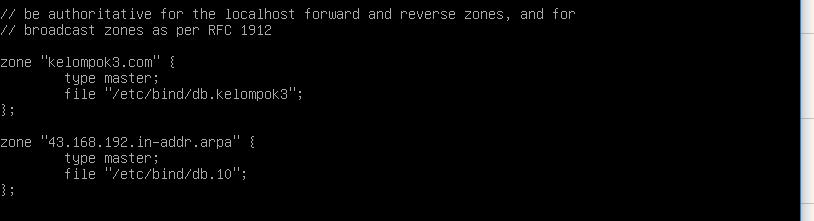
Copy kan file dari db.local ke db.kelompok3 dan db.127 ke db.10

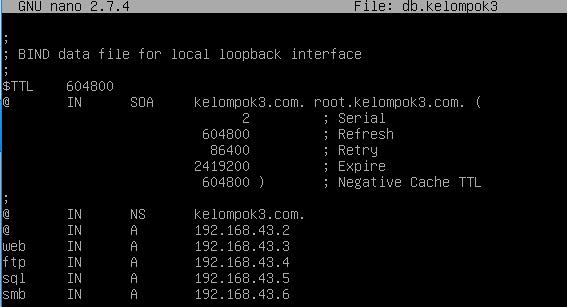
Buka db.kelompok3 ketik “nano db.kelompok3”

Edit file db.kelompok3 seperti dibawah ini, dan save
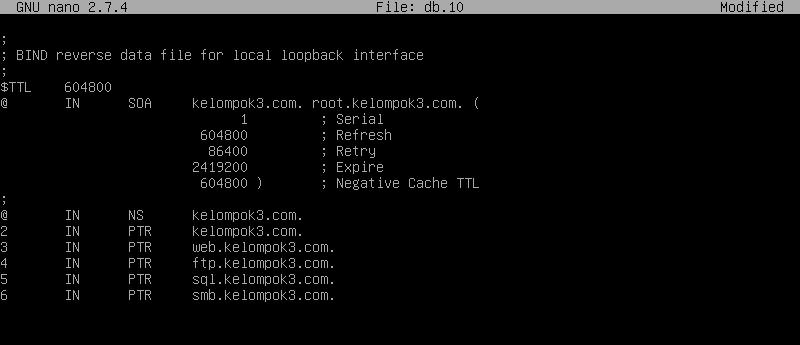
Buka db.10 ketik “nano db.10”

Edit file db.10 seperti dibawah ini, dan save
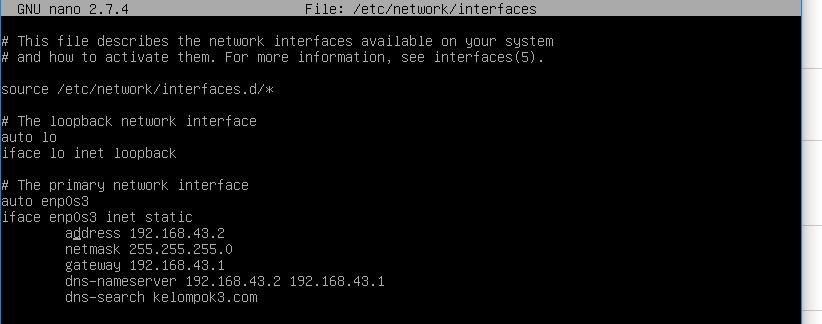
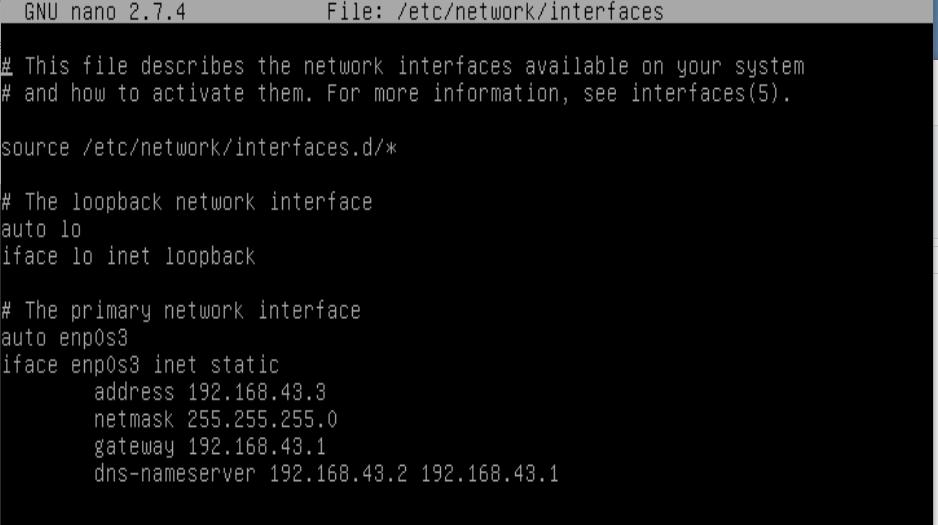
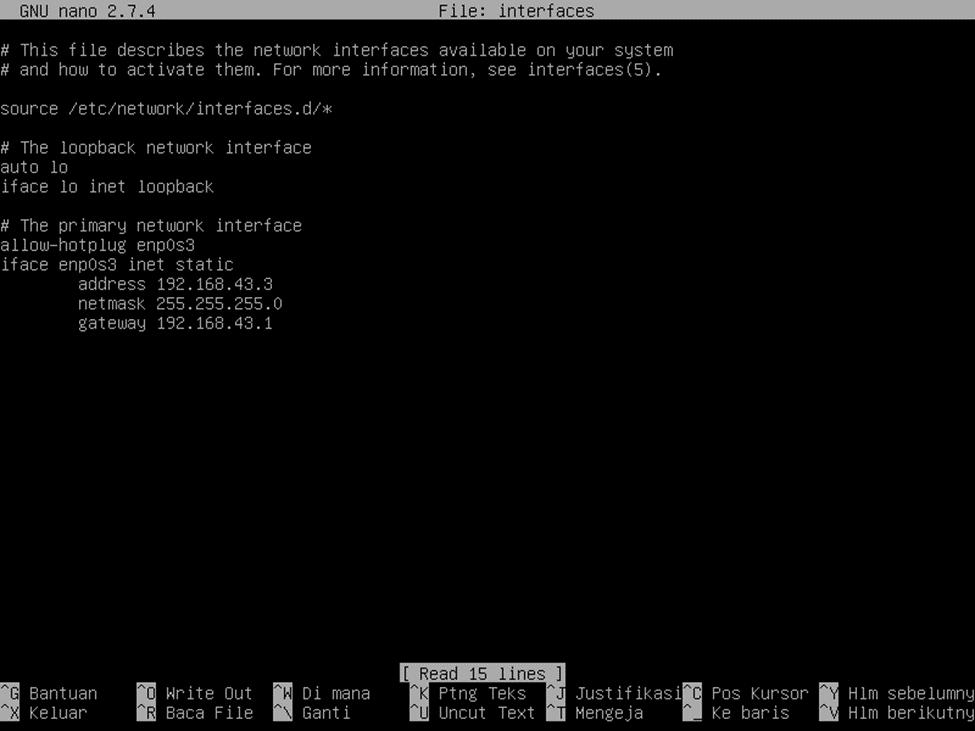
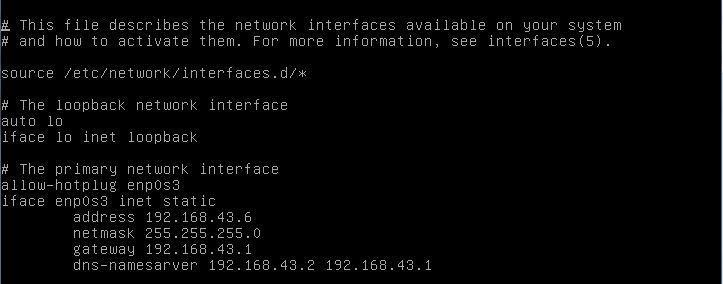
Lalu edit di “nano /etc/network/interfaces”

Setelah itu edit seperti dibawah ini, dan save
Karena konfigurasi telah selesain, kita restart dns kita dengan ketik “/etc/init.d/bind9 restart”

Web server (HTTP) sebuah web browser berhubungan dengan suatu situs web, sebetulnya ia berhubungan dengan sebuah web server. Web server atau HTTP adalah sebuah program yang melayani koneksi HTTP(Hyper Text Transfer Protocol) yg bekerja di port 80.
Berikut adalah langkah-langkah menginstall web server





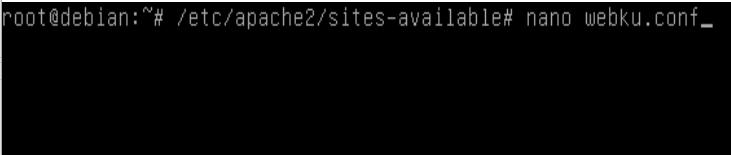
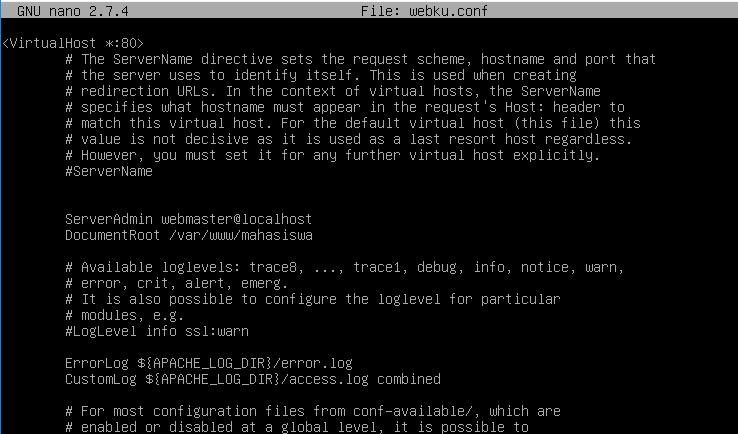




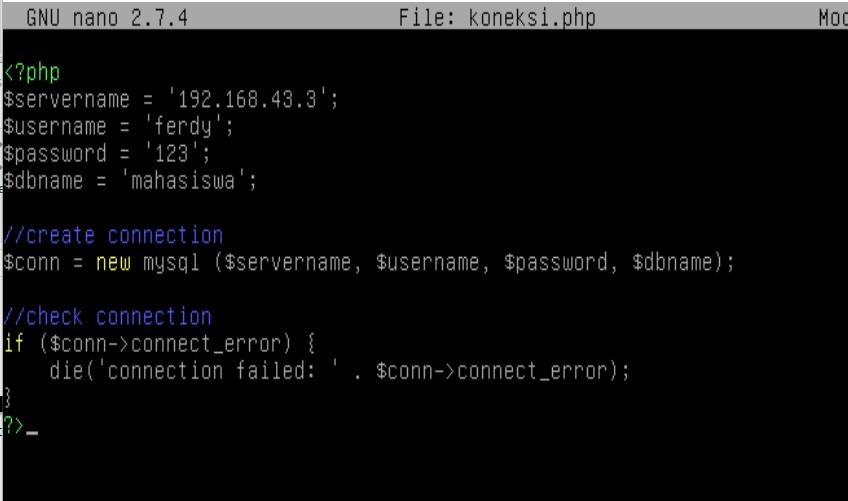

3.6.1 Pengujian Web Server
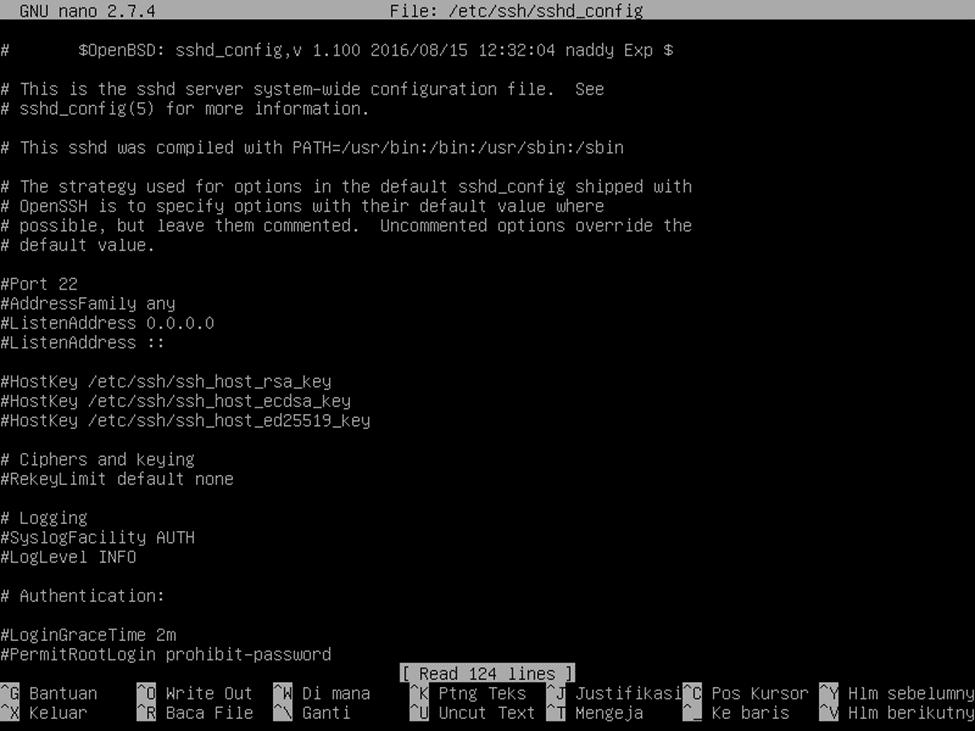
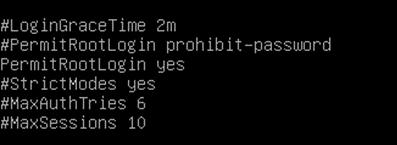
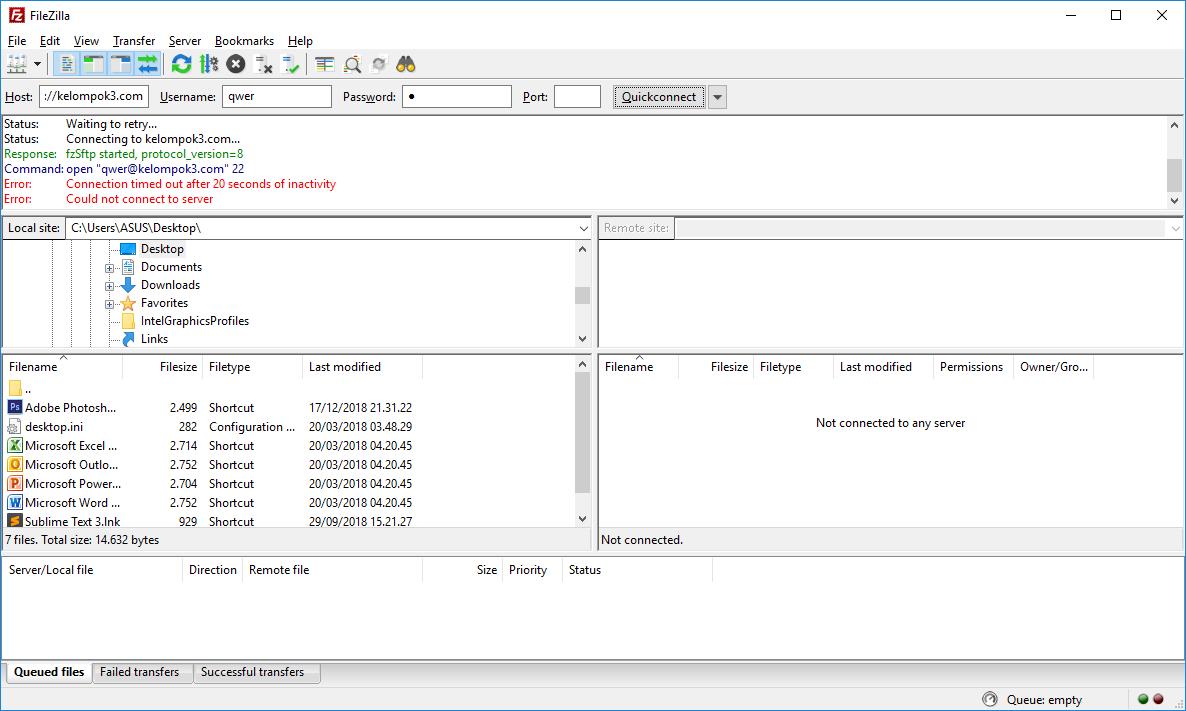
SFTP (Secure File Transfer Protokol) adalah metode mentransfer file antar komputer melalui SSH. Jadi tujuannya sudah jelas yaitu mengamankan proses transfer dan copy file dengan menggunakkan fitur yang ada pada ssh, baik secara enkripsi,kompersi dan public key.
Berikut ini langkah-langkah menginstall SFTP di debian virtual box



MySQL merupakan sebuah perangkat lunak atau software sistem manajemen basis data SQL atau DBMS Multithread dan multi user. MySQl sebenarnya merupakan turunan dari salah satu konsep utama dalam database untuk pemilihan atau seleksi dan pemasukan data yang memungkinkan pengoperasian data dikerjakan secara mudah dan otomatis. MySQL diciptakan oleh Michael “Monty” Widenius pada tahun 1979, seorang programmer komputer asal Swedia yang mengembangkan sebuah sistem database sederhana yang dinamakan UNIREG yang menggunakan koneksi low-level ISAM database engine dengan indexing.
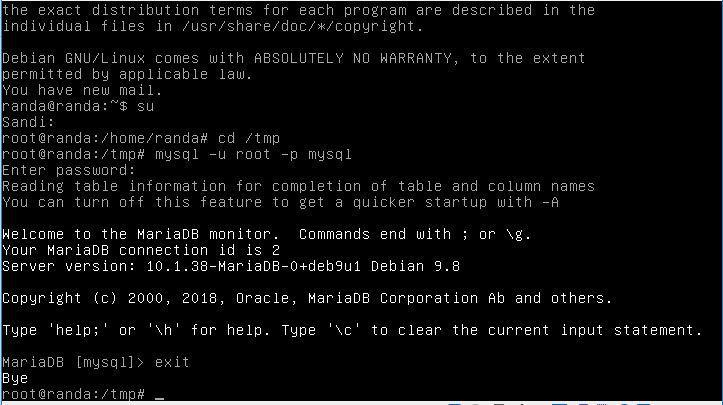
Berikut langkah-langkah install MYSQL di Debian Virtual Box.



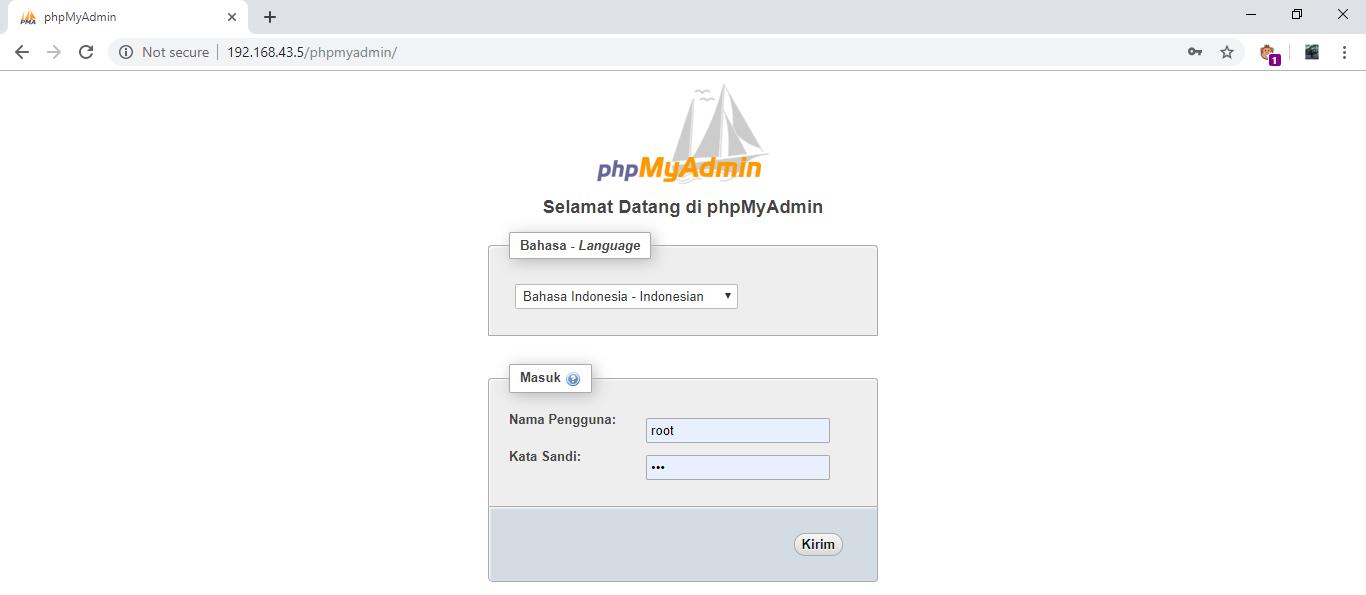
Untuk membuat web server berbeda ip, tambahkan akun pada tab user and account
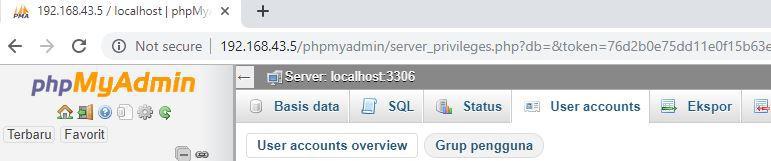 Lalu klik add user account 
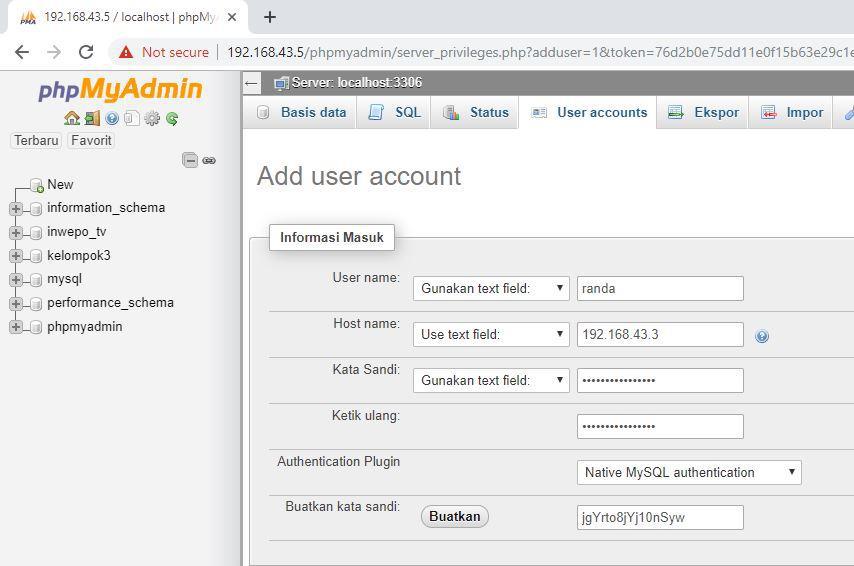
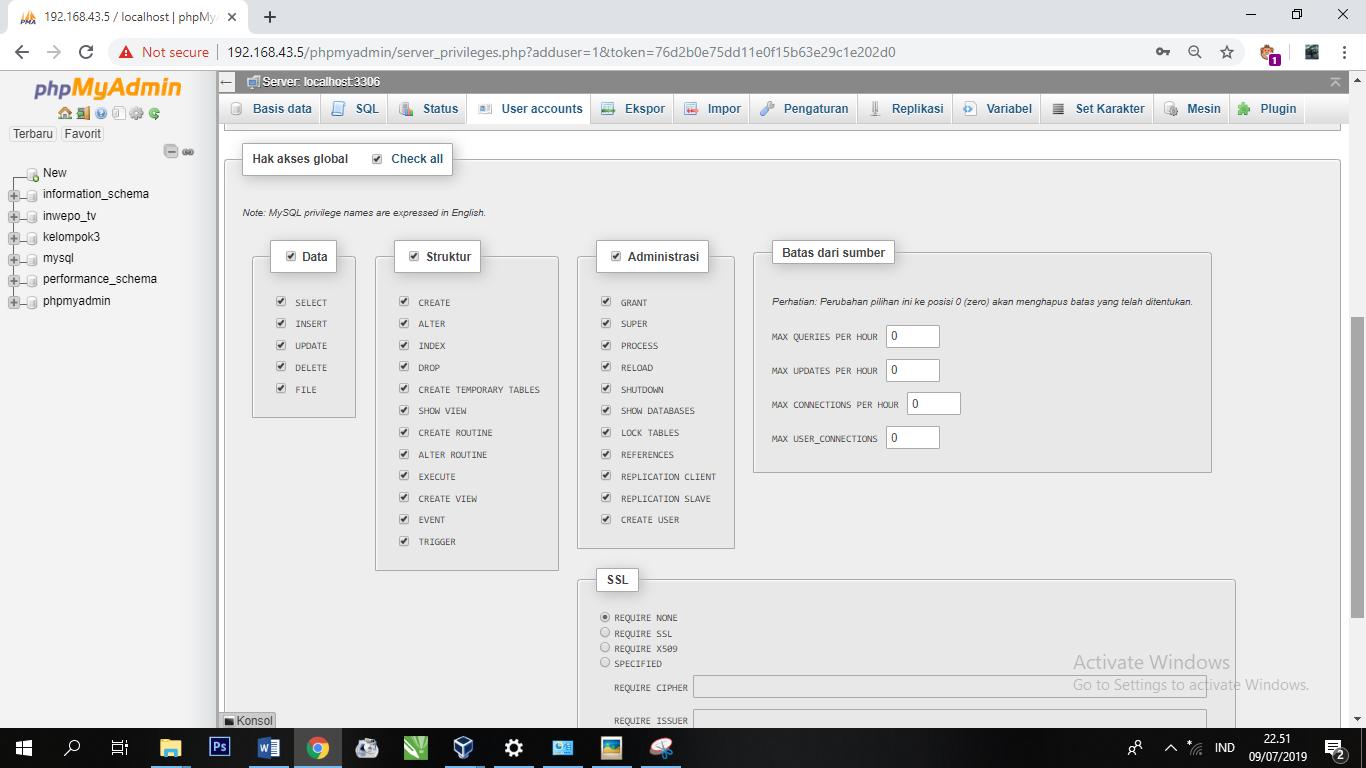

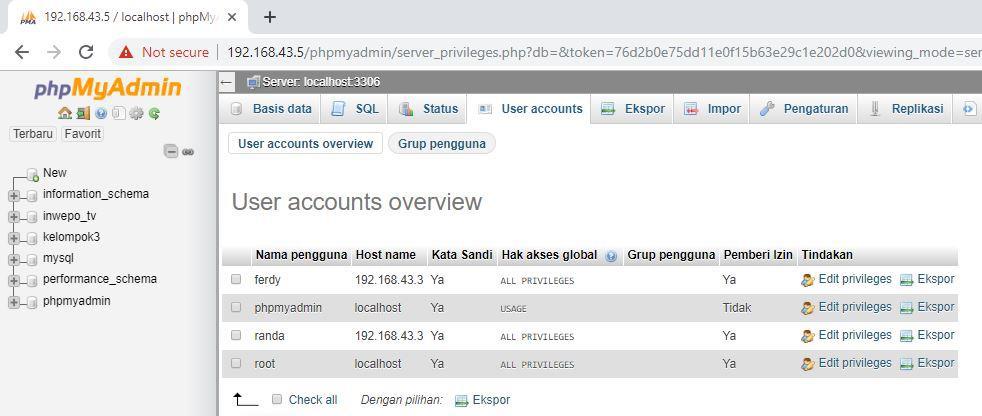



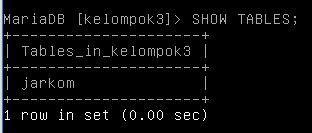
nama varchar(50) NOT NULL, nim varchar(20)) ); 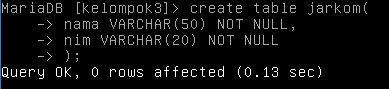
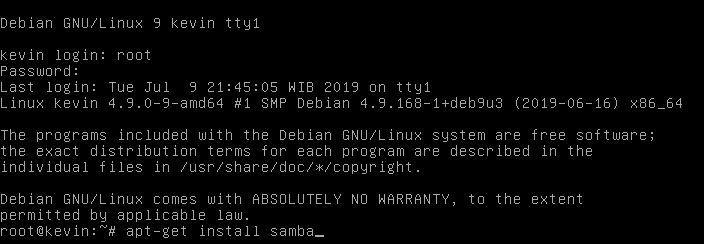
 2.3.5 Samba File SharingSamba adalah implementasi dari SMB protocol yaitu protocol yang digunakan oleh sistem operasi MS seperti MS Windows untuk men-sharing file dan printer. Dengan SMB anda bisa mengakses file & printer yang di-share oleh komputer Windows atau men-share file & printer di komputer linux anda. Berikut adalah langkah-langkah menginstall dan setting konfigurasi Samba di Debian 9





Lalu simpan konfigurasi tersebut 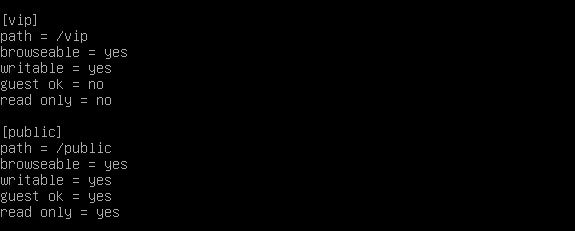
 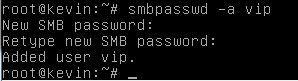

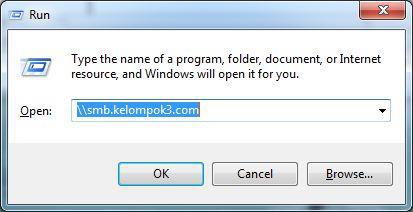
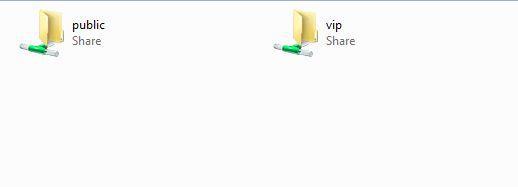
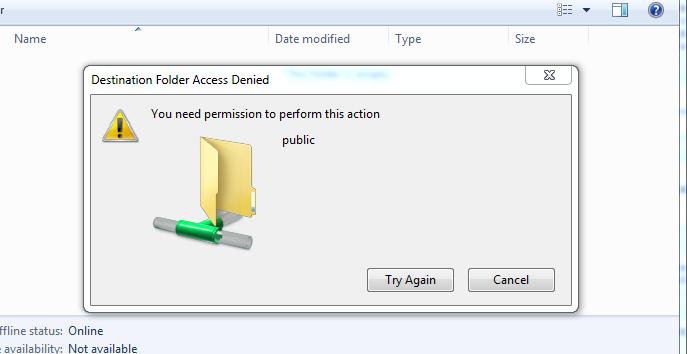
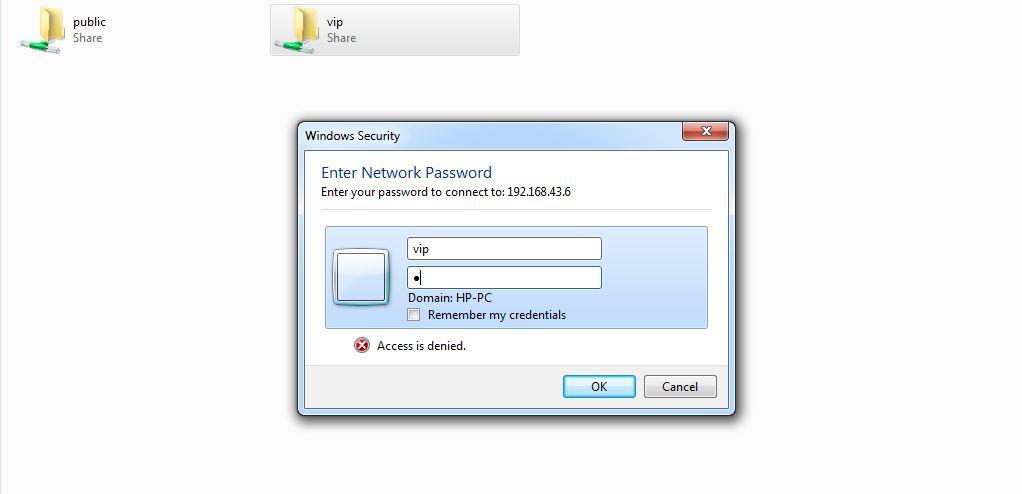 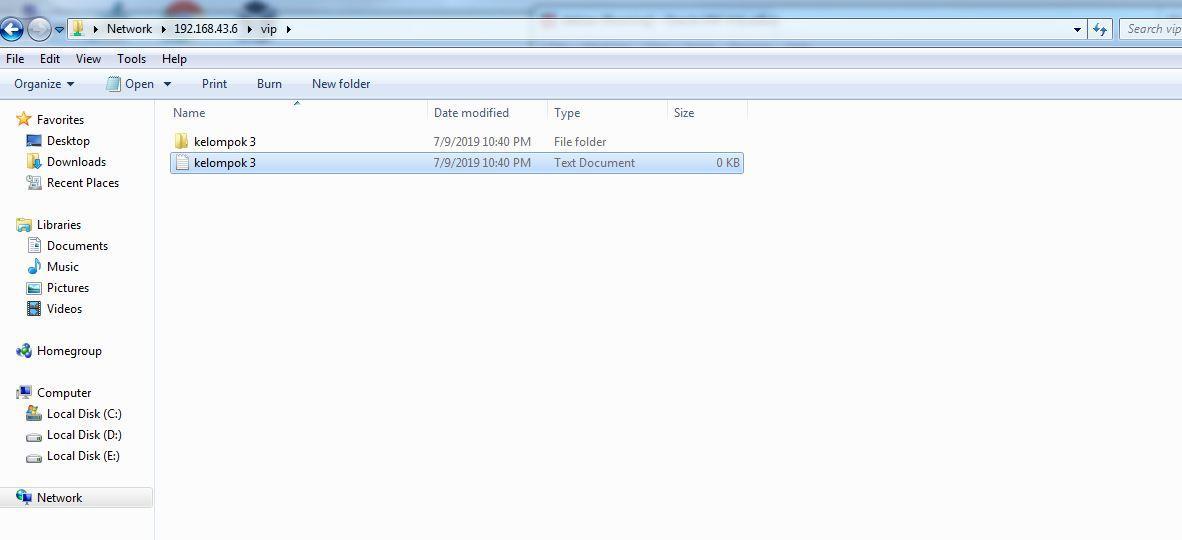 Maka file telah
selesai dibuat KesimpulanBAB III : PENUTUPSetelah memahami mengenai jaringan komputer kita dapat memahami bagaimana beberapa aplikasi komputer tersebut terhubung dengan satu jaringan yang sama. Sehingga dalam pelaksanaannya jaringan komputer sangatlah di perlukan untuk mempermudah kerja manusia.      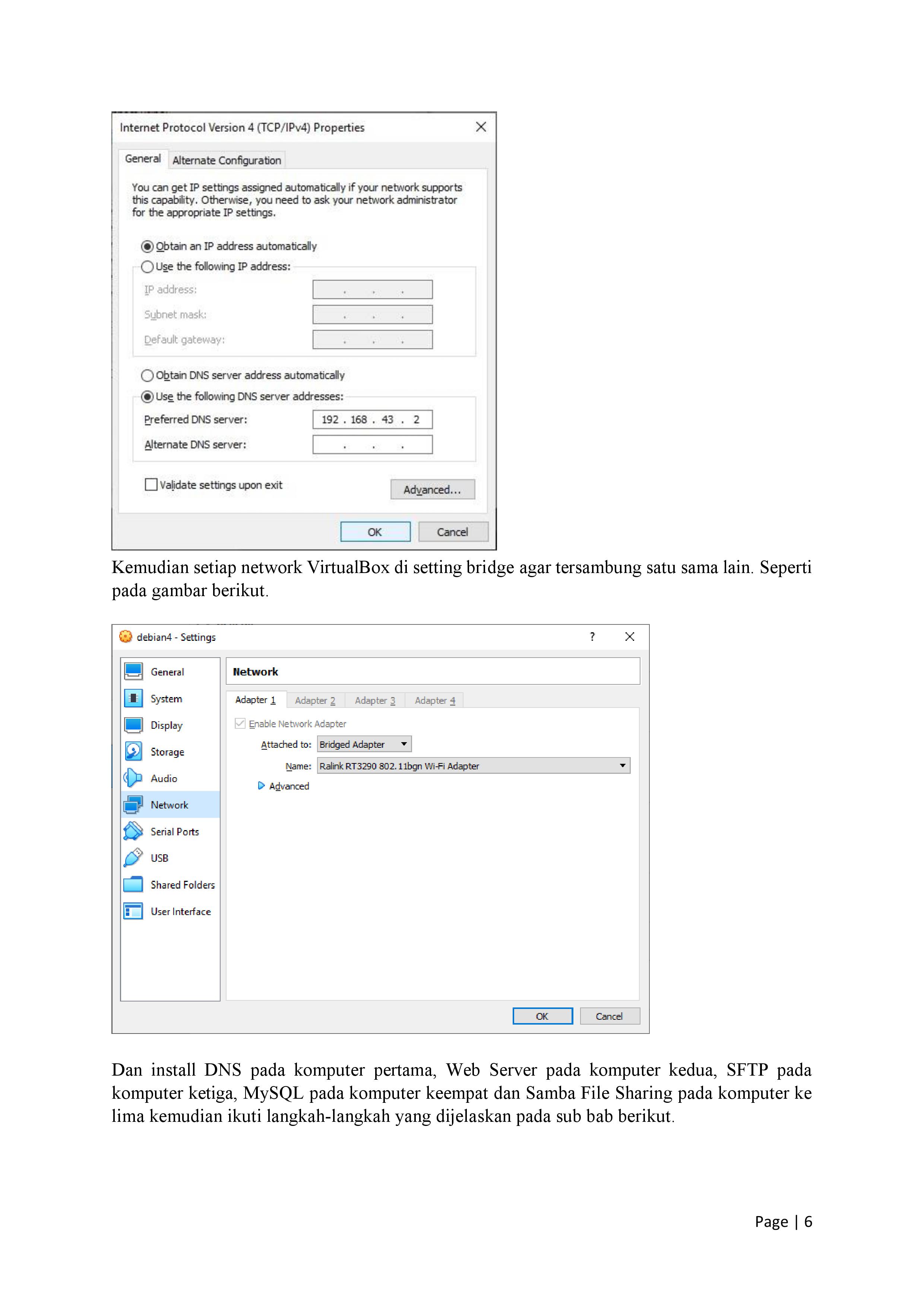 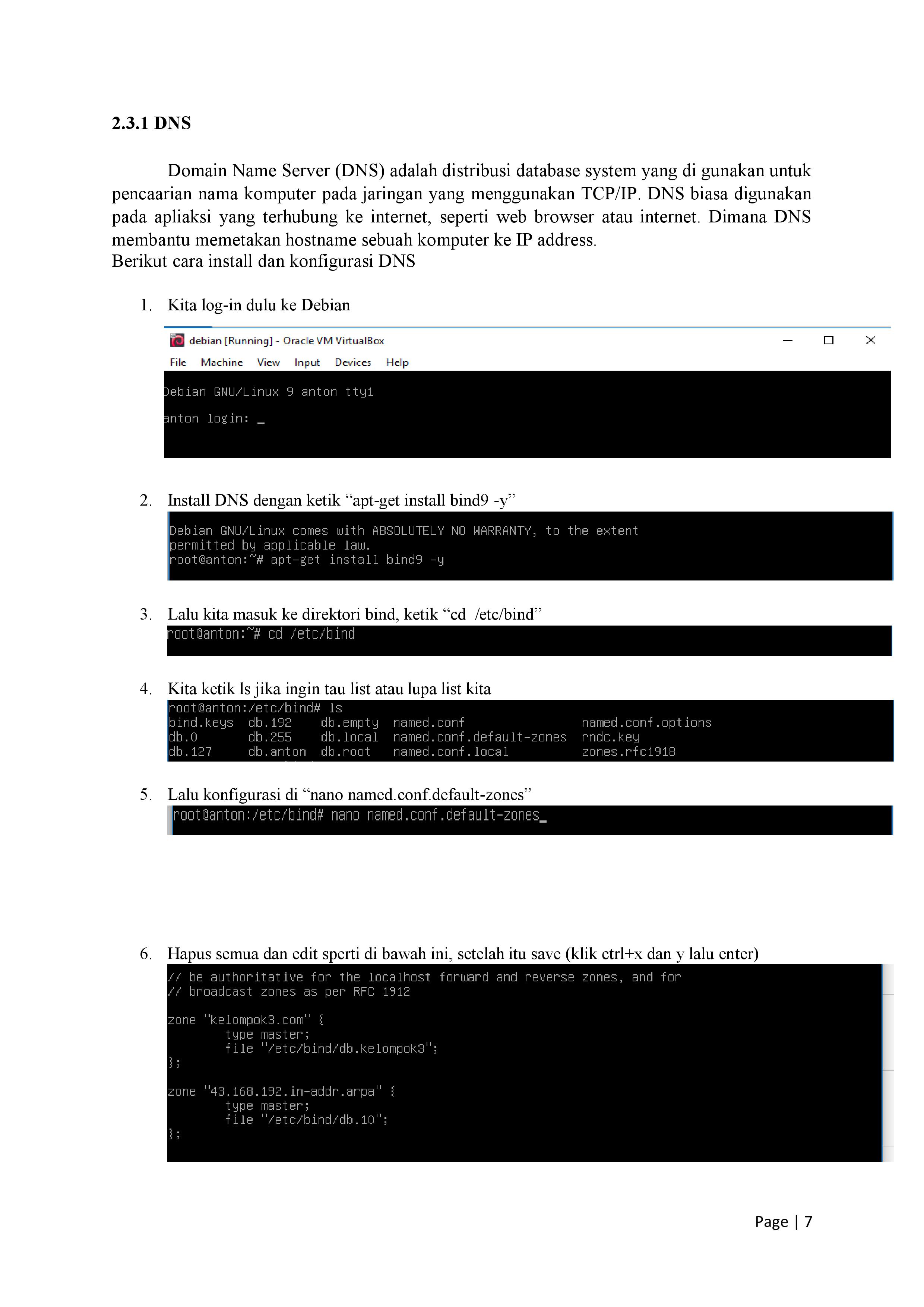 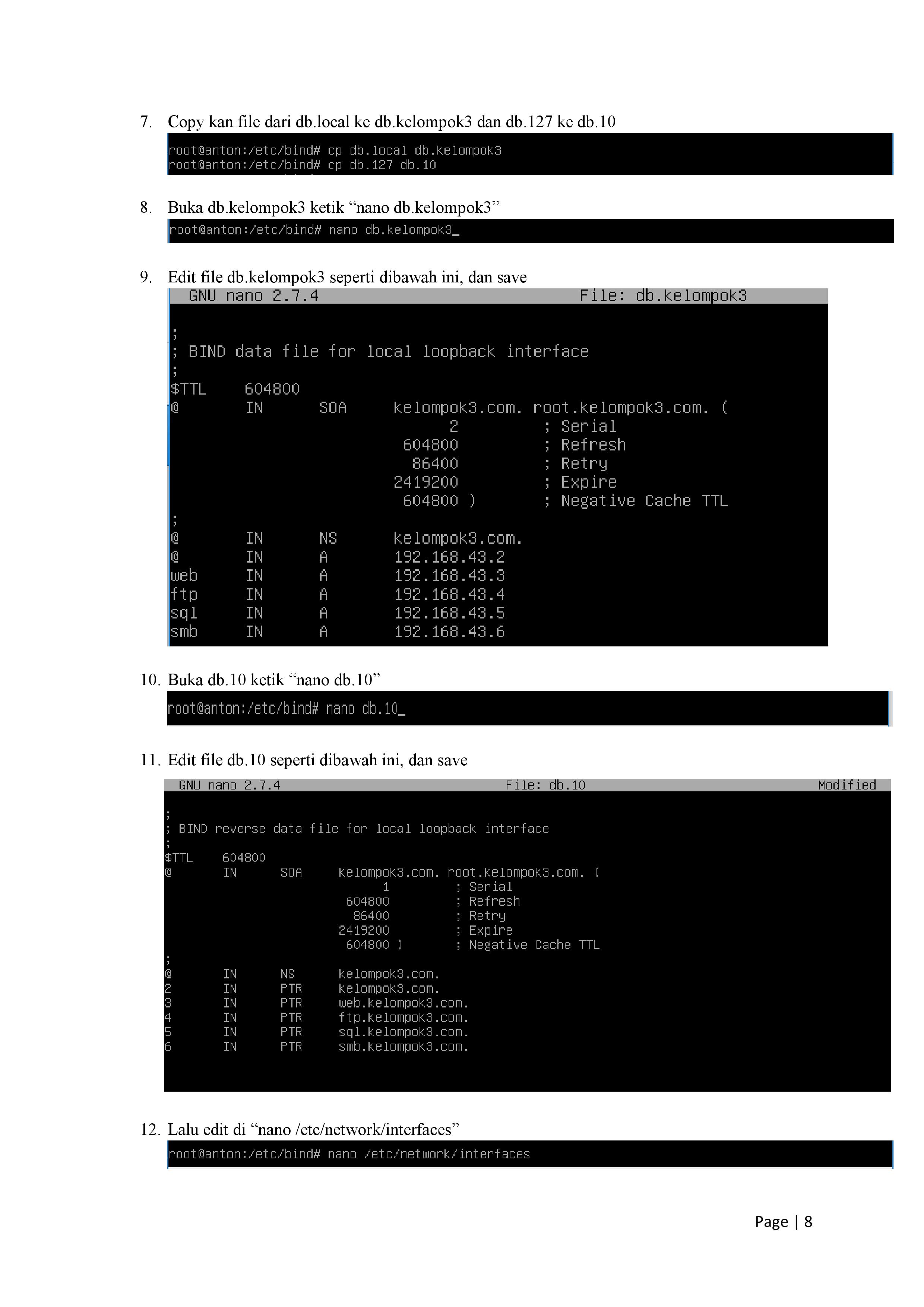 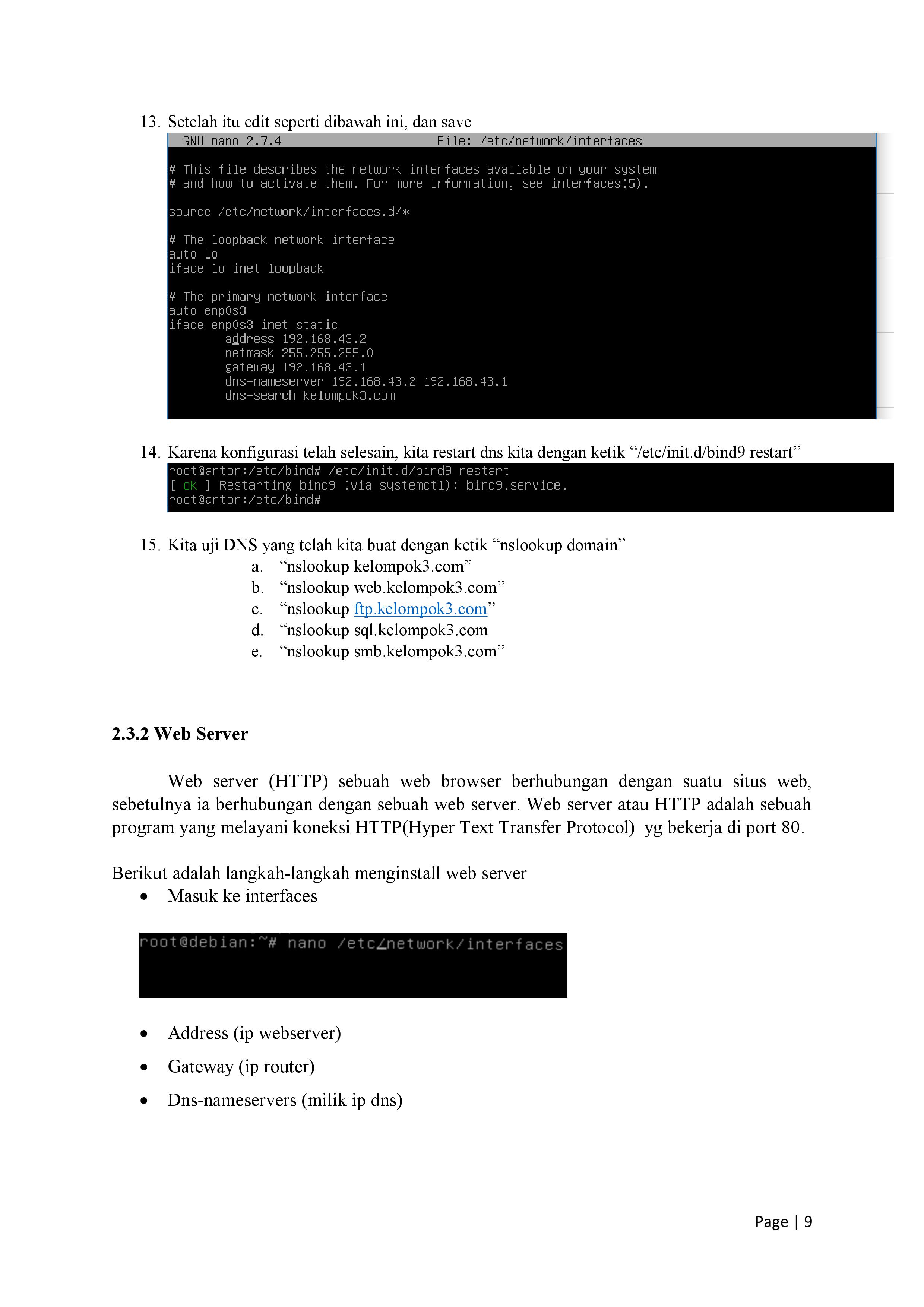 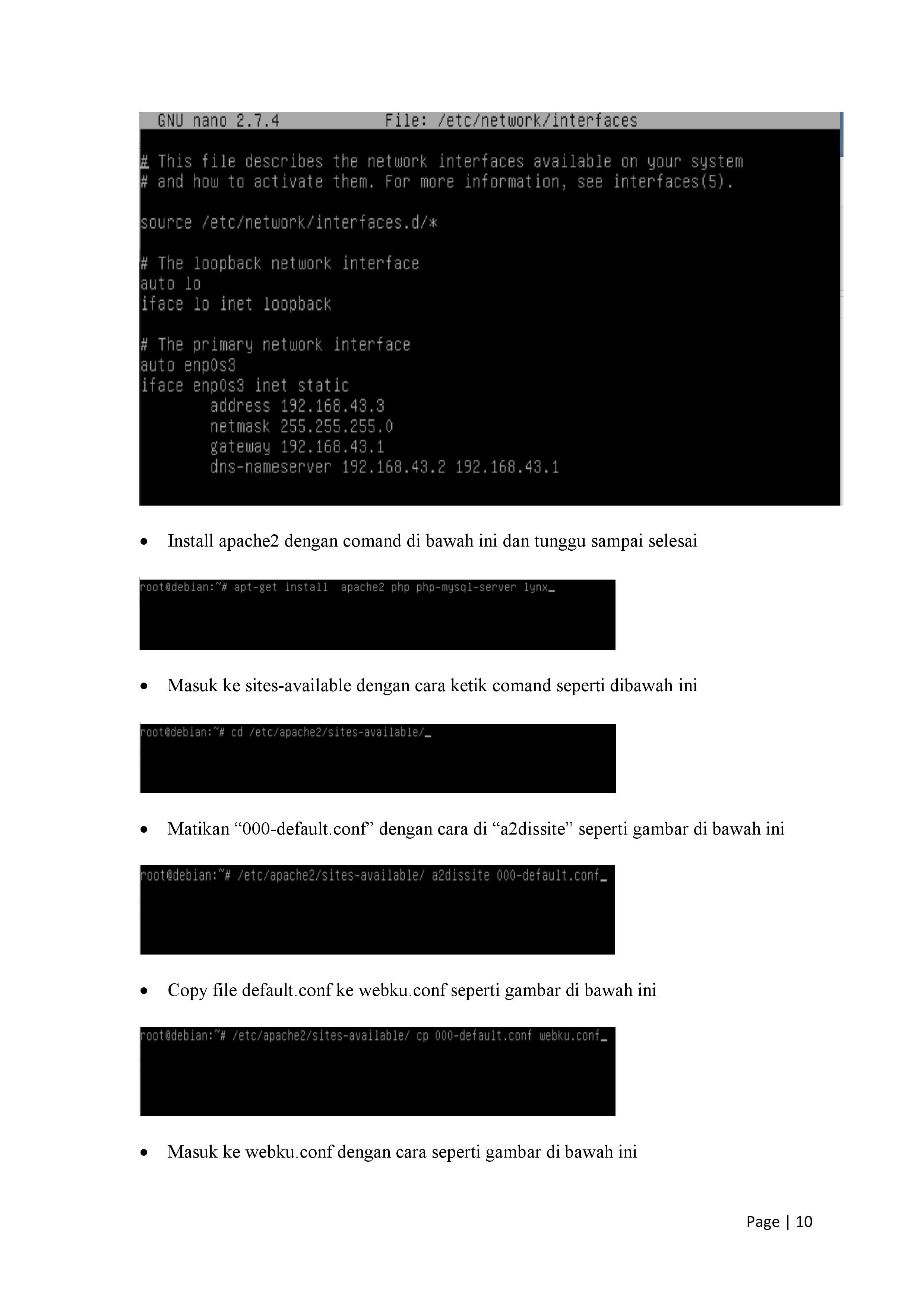 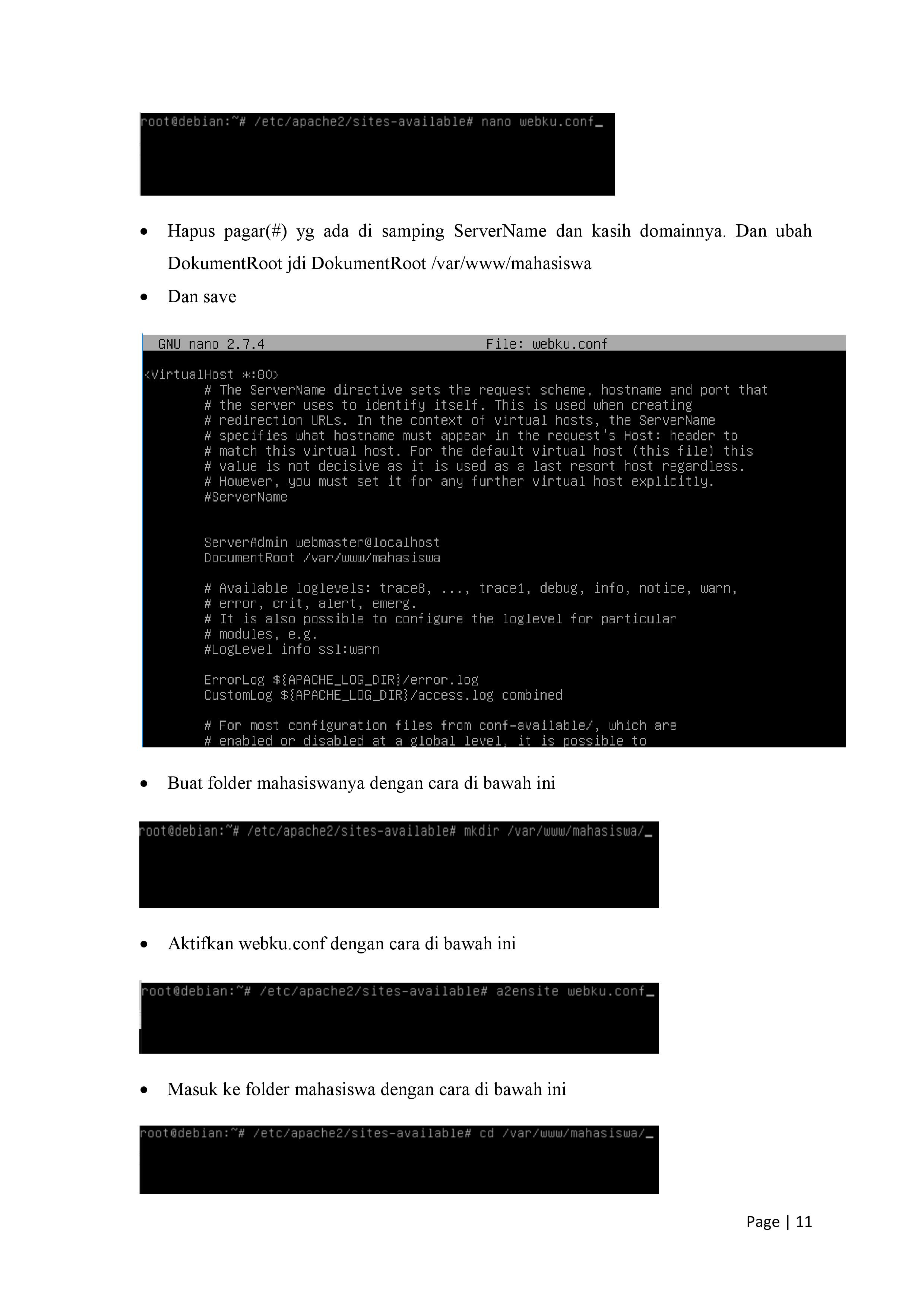 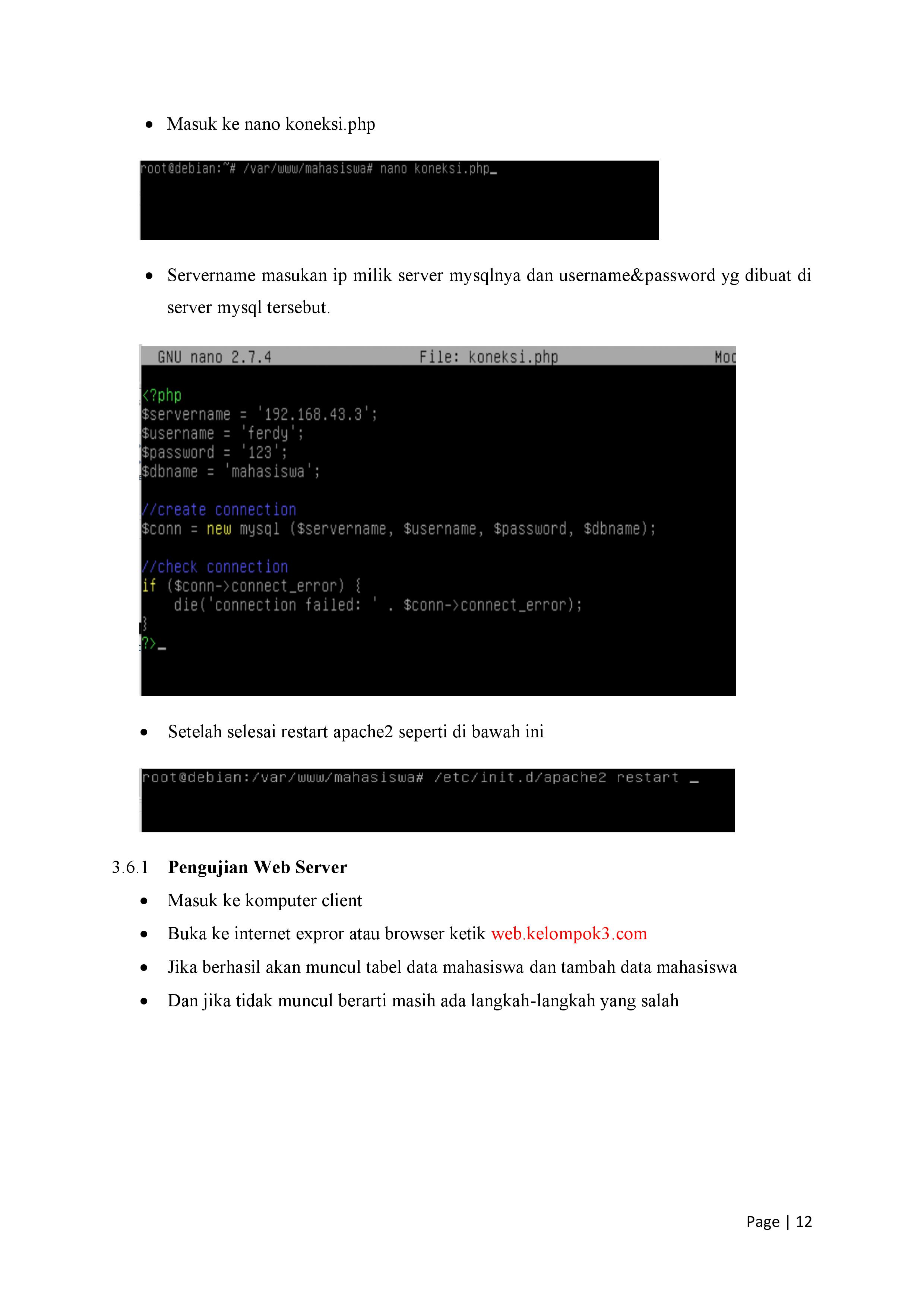 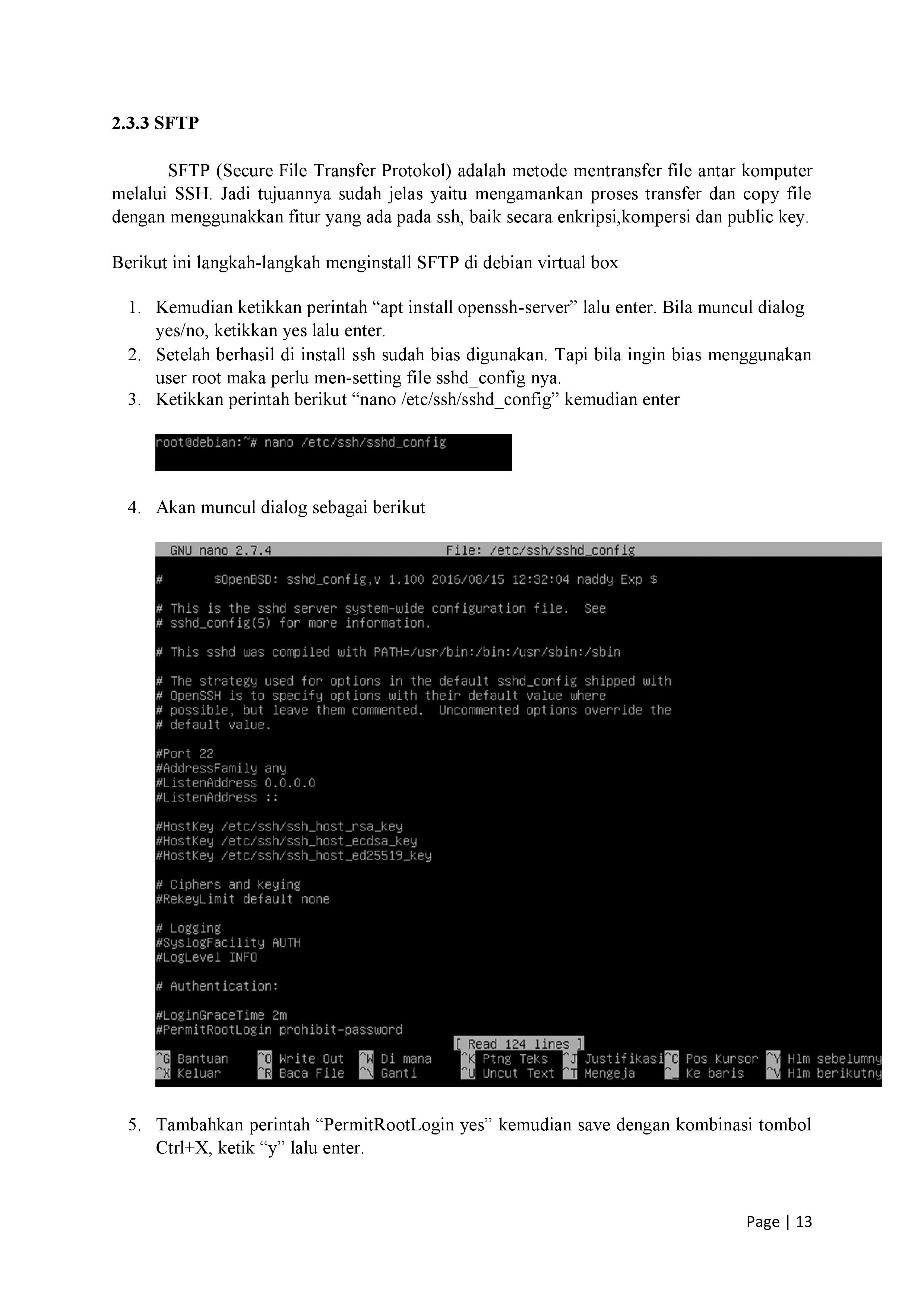 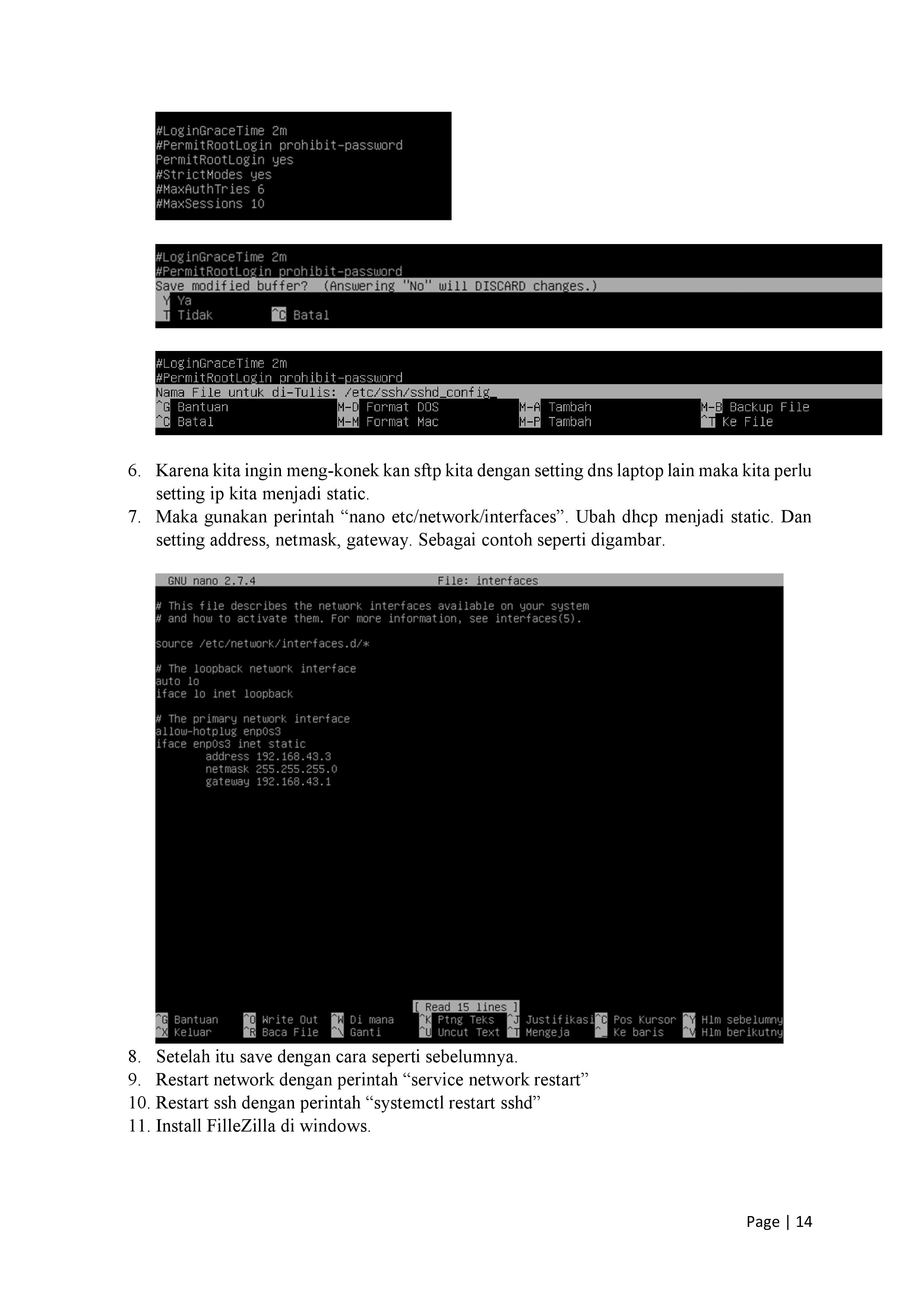 Introduce Yourself (Example Post)This is an example post, originally published as part of Blogging University. Enroll in one of our ten programs, and start your blog right. You’re going to publish a post today. Don’t worry about how your blog looks. Don’t worry if you haven’t given it a name yet, or you’re feeling overwhelmed. Just click the “New Post” button, and tell us why you’re here. Why do this?
The post can be short or long, a personal intro to your life or a bloggy mission statement, a manifesto for the future or a simple outline of your the types of things you hope to publish. To help you get started, here are a few questions:
You’re not locked into any of this; one of the wonderful things about blogs is how they constantly evolve as we learn, grow, and interact with one another — but it’s good to know where and why you started, and articulating your goals may just give you a few other post ideas. Can’t think how to get started? Just write the first thing that pops into your head. Anne Lamott, author of a book on writing we love, says that you need to give yourself permission to write a “crappy first draft”. Anne makes a great point — just start writing, and worry about editing it later. When you’re ready to publish, give your post three to five tags that describe your blog’s focus — writing, photography, fiction, parenting, food, cars, movies, sports, whatever. These tags will help others who care about your topics find you in the Reader. Make sure one of the tags is “zerotohero,” so other new bloggers can find you, too.

|
 jaringan komputer kelompok3